
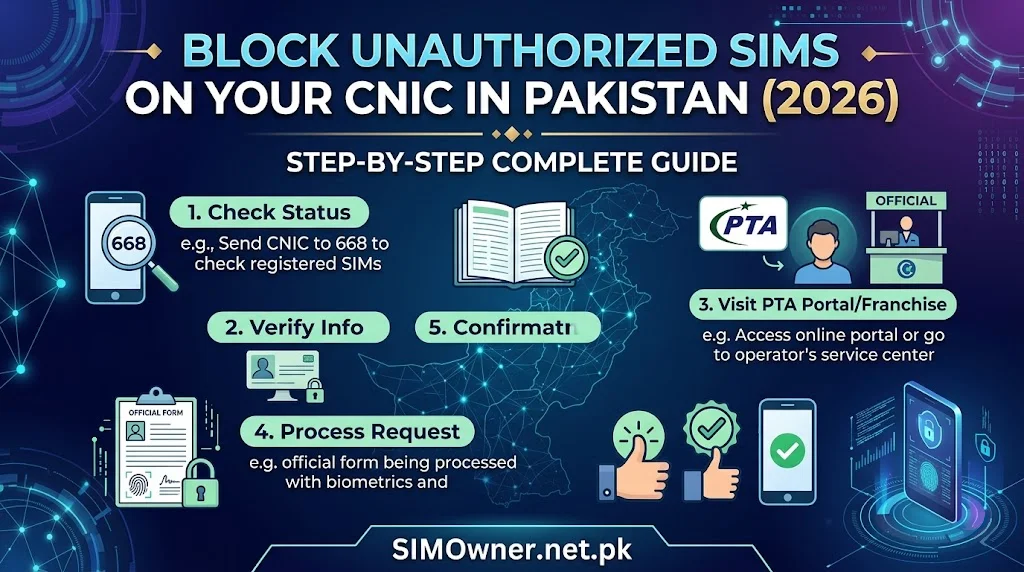
Last Verified: June 2026 | By SimOwner.net.pk Editorial Team — Pakistan’s SIM fraud documentation specialists since 2015
You ran the 668 check. The response shows more SIMs than you registered. Or one number you do not recognize. Or a network you never subscribed to. Whatever the specific finding — an unauthorized SIM on your CNIC is a confirmed fraud incident that requires immediate action.
This guide gives you the complete, step-by-step process to block every type of unauthorized SIM across every Pakistani network — Jazz, Zong, Telenor, Ufone, and SCO — along with the parallel legal actions that ensure the criminal faces consequences and you are protected against repeat fraud. Every step in this guide can be executed today, most within the next 2–4 hours.
Start with confirming exactly which unauthorized SIMs exist at SimOwner.net.pk — knowing the specific numbers and networks before making any calls saves time and prevents partial reporting.
Step 1 — Confirm and Document the Unauthorized SIM (Before Calling Anyone)
Before taking any action, establish an evidence record. This documentation is required for every subsequent complaint.
Run the 668 Check and Screenshot Everything
Send your CNIC (13 digits, no dashes) to 668 from any Pakistani mobile. When the response arrives:
Screenshot immediately with the timestamp visible. This screenshot is your primary evidence document. Take multiple screenshots — including the notification bar showing the current time, and the full message content.
Note every detail:
- Exact number of SIMs listed
- Every SIM number listed
- Network for each SIM
- Date and time of the check
Cross-Reference Your Legitimate SIMs
List every SIM you actually registered. Compare this list to the 668 response. Every number in the 668 response that is not on your list is unauthorized.
For each unauthorized SIM, record:
- The phone number
- The network (identifiable from prefix — see our network prefix guides)
- Whether it is a number you recognize from anywhere
Check All Networks Via cnic.sims.pk
Additionally verify via PTA’s web portal at cnic.sims.pk — this gives a formatted web result you can print as additional evidence alongside the 668 SMS screenshot.
Step 2 — Contact the Relevant Network’s Fraud Line (All Unauthorized Networks Simultaneously)
For each network with an unauthorized SIM, contact the fraud department. If multiple networks are involved, have family members call simultaneously to save time.
Jazz Unauthorized SIM
Call: 111-225-111 (24/7)
Script: “I need to speak with the fraud department urgently. A Jazz SIM [number from 668] has been registered on my CNIC [XXXXX-XXXXXXX-X] without my authorization. I want to report this as fraud and request immediate deactivation.”
Request specifically:
- Immediate deactivation of the unauthorized Jazz SIM
- Registration details — when registered, which franchise, was MBVS completed
- Fraud flag on your CNIC in Jazz’s system
- Jazz fraud case reference number (mandatory — get this before ending call)
Zong Unauthorized SIM
Call: 310 from any Zong number / 0311-3100310 from any phone (24/7)
Script: “I need the fraud department. A Zong SIM [number] has been fraudulently registered on my CNIC [XXXXX-XXXXXXX-X]. Please deactivate it immediately and give me a fraud case reference.”
Request: Same four items as Jazz — deactivation, registration details, fraud flag, case reference.
Telenor Unauthorized SIM
Call: 345 from Telenor / 0345-7777345 from any phone (24/7)
Script: “I need the fraud department. A Telenor SIM [number] is registered on my CNIC [XXXXX-XXXXXXX-X] without my consent. Please deactivate it immediately.”
Additional Telenor action: If you have an Easypaisa wallet — call Easypaisa separately at 0311-1234-125 to freeze the wallet as a precautionary measure. Telenor-Easypaisa linkage means unauthorized Telenor SIM creates direct Easypaisa risk.
Ufone Unauthorized SIM
Call: 333 from Ufone / 0333-0010333 from any phone (24/7)
Script: “I need to report a fraudulent Ufone SIM [number] registered on my CNIC [XXXXX-XXXXXXX-X]. Please connect me to the fraud department for immediate deactivation.”
SCO Unauthorized SIM
Call: 051-111-726-726 (business hours primarily)
Script: Same fraud report script as above. For SCO, if the call is outside business hours, leave a recorded complaint and follow up first thing in the morning. File FIA complaint immediately regardless of SCO’s availability.
Step 3 — File FIA Cybercrime Complaint (Within 2 Hours)
After network calls, file with FIA immediately. This step is often delayed by victims who think it can wait — it cannot.
How to File
Online portal: complaint.fia.gov.pk (available 24/7)
What to include:
| Field | What to Enter |
|---|---|
| Your CNIC | Your 13-digit CNIC |
| Crime type | Identity Crime / Unauthorized SIM Registration |
| PECA section | Section 16 (Identity Information Crimes) |
| Description | “Unknown person(s) registered [number] unauthorized SIM(s) on my CNIC [XXXXX-XXXXXXX-X] without my knowledge or consent. Networks involved: [list networks]. Fraud confirmed via PTA’s 668 service on [date]. Network fraud case references: [list each network’s reference number].” |
| Financial loss | Any financial loss from the unauthorized SIM(s) |
| Evidence | Attach 668 screenshot |
After filing: Save the FIA complaint reference number — this is required for your PTA complaint, police FIR, and any bank reversal requests.
Step 4 — File PTA Regulatory Complaint (Same Day)
File at: complaint.pta.gov.pk
PTA regulates the network operators. Your PTA complaint holds the operator accountable for the verification failure that allowed the unauthorized SIM registration.
What to Include
“Unauthorized SIM(s) registered on CNIC [XXXXX-XXXXXXX-X] in violation of PTA’s Subscriber Registration Regulations requiring NADRA MBVS biometric verification. Networks involved: [list]. FIA complaint reference: [number]. Network fraud case references: [list each]. PTA should investigate the verification failure and take regulatory action against the relevant operator(s) and franchise location(s).”
Attach: 668 screenshot, network fraud case references, FIA complaint reference.
Step 5 — File Police FIR (Within 24 Hours)
At your local police station — under PECA 2016 Section 16.
What to Bring
- Original CNIC
- 668 response screenshot (printed)
- FIA complaint reference (printed)
- Network operator fraud case references (printed)
- A written complaint statement
The FIR Statement
The key elements your FIR must include:
“I, [Your Name], CNIC [XXXXX-XXXXXXX-X], report that unknown person(s) have registered unauthorized SIM cards on my CNIC without my knowledge, consent, or biometric authorization. This was confirmed by PTA’s official 668 verification service on [date]. The unauthorized SIMs are: [list each number and network]. I have filed complaints with FIA Cybercrime Wing (reference [number]) and PTA (complaint filed [date]). I request an FIR be registered under PECA 2016 Section 16 (Identity Information Crimes) and investigation be initiated.”
For the complete FIR wording guide with exact PECA section language, see our comprehensive FIR guide referenced in the Related Guides section.
Step 6 — Protect Your Financial Accounts (Simultaneously)
While blocking the unauthorized SIMs, protect your financial accounts in parallel. An unauthorized SIM may have been used to intercept OTPs during its active period.
Check and Freeze Mobile Wallets
JazzCash: Call 051-111-952-952 — freeze wallet if linked to a compromised number
Easypaisa: Call 0311-1234-125 — freeze wallet
Raast: Contact your bank — flag your Raast ID for fraud monitoring
Check Bank Accounts
Review recent bank transactions for any unauthorized activity. Call your bank’s fraud line if anything looks wrong.
Change Passwords
Change passwords for email, WhatsApp, and any financial apps — particularly if the unauthorized SIM may have been active for long enough to be used for OTP interception.
Step 7 — Verify Deactivation and Monitor (48–72 Hours Later)
After completing all steps above, verify that blocking was processed:
Re-Run 668 Check
Wait 48–72 hours and send your CNIC to 668 again. The unauthorized SIM(s) should no longer appear in the response.
If still appearing after 72 hours:
- Call the relevant network’s helpline with your fraud case reference number
- Request confirmation of deactivation status
- If deactivation was not processed, escalate through PTA complaint
Monitor via SimOwner.net.pk
Use the SIM database tools at SimOwner.net.pk to track your CNIC’s SIM count in the days following the blocking action. Any new unauthorized SIM appearing after your reports indicates repeat fraud — report immediately to FIA.
Confirm Fraud Flag Is Active
Call each network involved and confirm the fraud flag on your CNIC is permanently in place — requiring in-person biometric for any future SIM changes.
Step 8 — Place NADRA Fraud Flag (Within 1 Week)
After handling the immediate network-level blocking, place a permanent fraud annotation on your CNIC at NADRA:
Visit: NADRA Regional Office Bring: Original CNIC + FIA complaint reference + PTA complaint reference + FIR copy + 668 screenshot
The NADRA fraud flag propagates across all NADRA-connected systems including PTA’s SVMS — creating systemic enhanced verification for any future SIM registration attempts on your CNIC.
Full process details in our NADRA fraud flag guide.
Special Scenarios
Multiple Unauthorized SIMs Across Multiple Networks
Handle all networks simultaneously — one call to each network’s fraud line, covering all unauthorized SIMs on that network in a single call. Include all unauthorized SIMs across all networks in one FIA complaint for a consolidated fraud investigation.
Unauthorized SIM Was Used for Financial Fraud
If the unauthorized SIM was actively used for JazzCash withdrawals, bank OTP interception, or Raast transfers:
- Add financial fraud to your FIA complaint (PECA Section 21 in addition to Section 16)
- Contact your bank’s fraud department with the timeline of unauthorized SIM activity
- File a formal bank reversal claim with all documentation
- Contact SBP’s Banking Mohtasib if bank is unresponsive
You Are Abroad When You Discover the Unauthorized SIM
- File FIA complaint online immediately (complaint.fia.gov.pk — works from abroad)
- Call all network fraud lines (international call charges apply)
- Designate a family member in Pakistan to file police FIR and visit network service centers using your Power of Attorney
Unauthorized SIM Was Registered Long Ago
Old unauthorized SIM registrations (months or years ago) are still reportable and actionable:
- PECA statute of limitations for Section 16 is several years
- File FIA complaint regardless of when the fraud occurred
- The FIA investigation can pull historical CDRs and registration records to understand the fraud’s scope
- Check financial records retroactively for the period the fraudulent SIM was active
The CNIC Information Protection Framework
After blocking unauthorized SIMs, implement the complete CNIC protection framework to prevent recurrence:
Access the CNIC information and protection resources at SimOwner.net.pk for the complete layered defense — network fraud flags, NADRA annotation, bank security flags, and monthly monitoring protocol.
The SimOwner.net.pk homepage verification tools give you the monitoring baseline — knowing your clean post-blocking state makes future unauthorized additions immediately detectable.
Frequently Asked Questions
Q: I called the network and they blocked the SIM. Do I still need to file FIA and police complaints?
A: Yes. Network blocking stops the immediate damage. FIA complaint enables criminal prosecution of whoever committed the fraud. Police FIR creates the legal record needed for bank reversal claims if financial damage occurred. Skipping these steps means the criminal faces no consequences and you lack documentation for financial recovery. All three channels serve different, necessary purposes.
Q: How do I know which network the unauthorized SIM belongs to?
A: Identify from the number prefix. Telenor: 0345-0349. Jazz: 0300-0309, 0320-0329. Zong: 0304-0313, 0340-0344. Ufone: 0333-0337. SCO: 059X. See our network prefix guides for complete reference.
Q: The network said the unauthorized SIM was registered at a franchise far from where I live. Does that matter?
A: Yes — include the franchise location in your FIA complaint. FIA can investigate that specific franchise for the registration records and CCTV footage (typically retained 30–90 days). This is one of the most important details for identifying and prosecuting the individual who processed the fraudulent registration.
Q: I blocked the unauthorized SIM but my 668 count is still wrong. When does it update?
A: The SVMS update after deactivation can take 30–90 days to reflect in 668 results. If the count has not updated after 90 days, call the network with your deactivation reference number and ask them to confirm the SVMS update was submitted.
Q: Should I change my phone number after blocking unauthorized SIMs?
A: Changing your personal number is not necessary and disrupts your contacts, services, and registrations. The effective response is the layered protection framework — fraud flags, NADRA annotation, and monthly monitoring — which prevents unauthorized registrations regardless of your number. If the same fraudster attempts again, monitoring catches it.
Q: I found an unauthorized SIM that was deactivated before I discovered it. Does this still need reporting?
A: Yes — even if the unauthorized SIM was automatically deactivated (due to inactivity or PTA enforcement), it was still a fraud incident. Report to FIA and PTA. This historical fraud may be connected to financial activity or other crimes during its active period that need investigation.
Complete Action Timeline Summary
| Time | Action | Contact |
|---|---|---|
| Immediately | 668 check + screenshot | SMS 668 |
| Within 30 min | Call all relevant network fraud lines | See helplines above |
| Within 1 hour | File FIA complaint | complaint.fia.gov.pk |
| Within 2 hours | File PTA complaint | complaint.pta.gov.pk |
| Same day | Freeze financial accounts if needed | Bank/wallet helplines |
| Within 24 hours | File police FIR | Local police station |
| Within 1 week | Visit NADRA Regional Office for fraud flag | NADRA Regional Office |
| After 48–72 hours | Re-run 668 check — verify deactivation | SMS 668 |
| Monthly | Continue 668 monitoring | Ongoing |
Blocking unauthorized SIMs is a multi-step process — but each step is straightforward and executable within hours of discovery. Speed of action significantly affects both the criminal’s ability to continue causing harm and your ability to recover any financial losses.
For Pakistan’s most comprehensive SIM fraud prevention, unauthorized SIM detection tools, and CNIC protection resources, visit SimOwner.net.pk — Pakistan’s trusted SIM security resource since 2015.
All network helpline numbers and legal references verified as of June 2026. SimOwner.net.pk is not affiliated with PTA, NADRA, FIA, or any network operator.
Related Guides on SimOwner.net.pk: