
Last Verified: June 2026 | By SimOwner.net.pk Editorial Team — Pakistan’s SIM security specialists since 2015
Every active Pakistani SIM should have completed biometric verification — a fingerprint match confirming the registered CNIC holder personally authorized the registration. But millions of Pakistanis have never checked whether their own SIM’s biometric verification was actually completed correctly, properly recorded, or remains valid in the system.
BVS (Biometric Verification System) status matters for two critical reasons: first, an improperly verified SIM is more vulnerable to certain types of administrative disputes and may face suspension during PTA compliance audits. Second, checking your own BVS status is one way to confirm that the SIM registration process for your number followed proper procedure — giving you confidence that no shortcuts were taken that could create future vulnerabilities.
This guide explains what BVS is, how it relates to MBVS, how to check your SIM’s biometric verification status, what to do if verification appears incomplete or failed, and how this connects to the broader SIM fraud landscape in Pakistan. Verify your complete SIM registration picture at SimOwner.net.pk alongside your BVS status check.
BVS vs MBVS — Understanding the Terminology
Pakistani telecom and government documentation uses both “BVS” and “MBVS” — understanding the relationship between these terms clarifies what you are actually checking.
BVS (Biometric Verification System)
BVS is the original, simpler biometric verification system introduced in Pakistan around 2015 as part of the National Action Plan SIM re-verification drive. BVS supported single-fingerprint verification — typically the right thumb — matched against NADRA’s database.
MBVS (Multi-Biometric Verification System)
MBVS is the upgraded successor system, supporting verification against all ten fingerprints (not just one), with enhanced liveness detection and additional security features. MBVS is the current standard system used for SIM registration verification as of 2026.
For most practical purposes today: When checking your SIM’s “biometric verification status,” you are checking against the same underlying NADRA verification framework — whether referred to as BVS (the historical/colloquial term still widely used) or MBVS (the current technical system). Most Pakistanis and even some customer service representatives use “BVS” as the general term for biometric SIM verification.
For the complete technical explanation of how the current MBVS system works, see our comprehensive NADRA MBVS guide.
Why BVS/Biometric Verification Status Matters
Historical Context — The 2015 Re-Verification Drive
Following Pakistan’s 2014 National Action Plan against terrorism, PTA conducted a massive SIM re-verification campaign in 2015. Every existing SIM subscriber was required to visit a franchise and complete biometric verification — or face deactivation. Millions of unverified or improperly registered SIMs were deactivated during this period.
SIMs registered before 2015 that successfully completed this re-verification have a BVS record from that campaign. SIMs registered after 2015 went through the standard MBVS process at registration.
Why Checking Your Status Matters Today
Compliance confidence: Confirms your SIM is in good standing with PTA’s verification requirements — protecting against unexpected suspension during compliance audits.
Fraud investigation context: If you discover an unauthorized SIM on your CNIC and want to understand whether biometric verification was bypassed during its fraudulent registration, understanding BVS/MBVS status terminology helps you ask the right questions to operators and FIA.
Pre-emptive verification: For SIMs you registered long ago, confirming the biometric record is current and accurate prevents future complications — particularly if you ever need to dispute a fraud claim or prove the legitimacy of your registration.
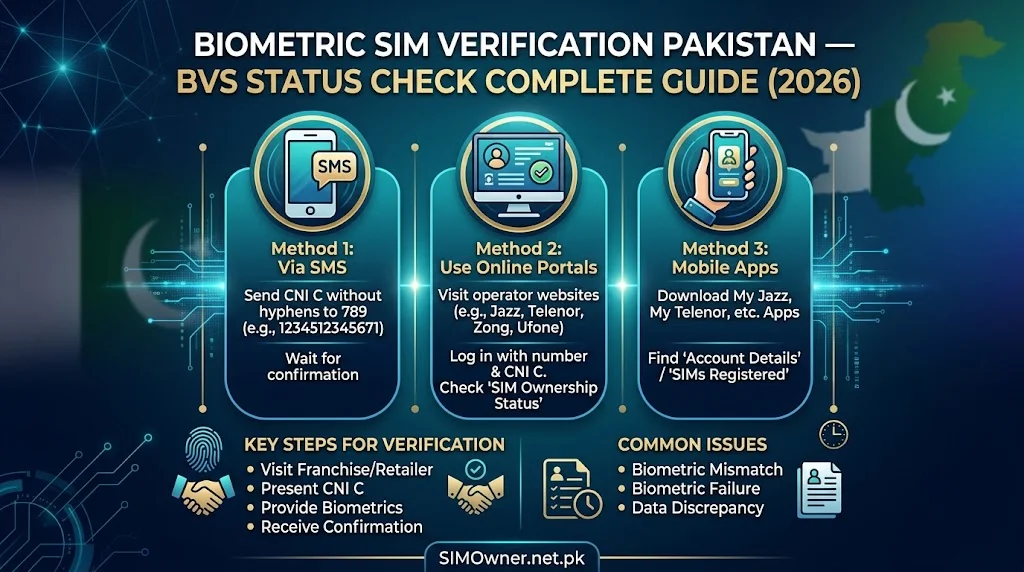
How to Check Your SIM’s BVS/Biometric Status
Method 1 — Network Operator Helpline
Each network can confirm whether your specific SIM’s biometric verification is on record and valid:
| Network | Number | What to Ask |
|---|---|---|
| Jazz | 111-225-111 | “Can you confirm biometric verification status for my SIM [number]?” |
| Zong | 310 | Same request |
| Telenor | 345 | Same request |
| Ufone | 333 | Same request |
| SCO | 051-111-726-726 | Same request |
Identity verification required: Provide your CNIC and the SIM number you are inquiring about.
What the agent can confirm:
- Whether biometric verification was completed at registration
- The approximate date of biometric capture
- Whether the verification is currently valid in their system
Method 2 — In-Person at Service Center
For the most authoritative confirmation, visit the network’s official service center (Experience Center, SSC, CSC, or Sales Center depending on network):
- Bring your original CNIC
- Request confirmation of biometric verification status for your SIM
- The agent can check the registration record directly, including whether MBVS returned “Verified” at the time of registration
This method also allows immediate re-verification if your current biometric does not match (due to fingerprint changes over time) — the agent can guide you to update your NADRA biometric record if needed.
Method 3 — NADRA Registration Centre
NADRA itself can confirm whether your biometric data is current and properly enrolled — though NADRA does not directly show you SIM-specific verification records (that is the network operator’s domain). What NADRA can confirm:
- Your biometric enrollment date
- Whether your fingerprint templates are current quality
- Whether your biometric data needs updating
This is useful context: if your NADRA biometric data is outdated, any SIM verification attempt (current or future) may face quality-matching issues.
What If Your SIM Shows “Not Verified” or Incomplete Biometric Status?
If your check reveals that your own legitimate SIM does not show completed biometric verification, take these steps:
Step 1 — Confirm This Is Actually Your SIM
First, verify via 668 that this SIM is indeed registered on your CNIC and that you are the legitimate holder. Use the SIM database tools at SimOwner.net.pk to confirm your complete SIM picture.
Step 2 — Visit the Network’s Service Center
Bring your original CNIC to complete or update biometric verification. The agent will:
- Capture your fingerprint via NADRA MBVS
- Confirm the match against your NADRA records
- Update your SIM’s verification status in their system
Step 3 — If Biometric Repeatedly Fails
If your fingerprint does not match NADRA’s stored templates (common for older CNICs or individuals with manual labor occupations affecting fingerprint quality):
- Visit a NADRA Registration Centre for biometric update
- This re-enrolls your fingerprints with current quality
- Return to the network service center to complete SIM biometric verification with the updated templates
BVS Status and SIM Fraud Investigation
Understanding biometric verification status is directly relevant when investigating a suspected fraudulent SIM:
What FIA Checks During Fraud Investigation
When you report an unauthorized SIM and FIA investigates, one of their key questions is: was biometric verification (BVS/MBVS) actually completed for this fraudulent registration, and if so, whose biometric was used?
Scenario A — No biometric verification was performed: This indicates clear franchise-level bypass — the registration should never have completed without it. This is straightforward evidence of regulatory violation by the operator/franchise.
Scenario B — Biometric verification shows “Verified” but you never visited that franchise: This is more concerning — it suggests either a sophisticated fraud (counterfeit fingerprint, system manipulation) or, in rare cases, internal database errors. FIA’s forensic analysis of the submitted biometric template can help determine which scenario applies.
Scenario C — Biometric verification was bypassed due to claimed “system downtime”: Operators are required to halt registration during genuine system outages — not process registrations without verification. If your fraud investigation reveals this excuse was used, it represents a clear violation requiring regulatory action against the franchise.
Requesting BVS Records From NADRA for Fraud Cases
As part of an FIA investigation, NADRA’s MBVS logs (showing exactly what biometric data was submitted and the matching result) can be formally requested. This is a powerful forensic tool — but access requires the formal FIA investigation process, not direct individual access.
BVS Status for SIMs Registered Before and After 2015
Pre-2015 SIMs (Original BVS Era)
If your SIM was registered before 2015 and successfully passed the national re-verification campaign, your biometric record dates from that period. These records remain valid unless your biometric data has been updated since (through CNIC renewal or specific biometric update visits).
Checking pre-2015 SIM status: Network helplines can confirm whether your older SIM successfully completed the 2015 re-verification campaign — this is recorded in their historical compliance records.
Post-2015 SIMs (MBVS Era)
SIMs registered after 2015 went through the standard MBVS process at the time of initial registration. These have more detailed records including the specific franchise, date, and verification method used.
Frequently Asked Questions
Q: My SIM has worked fine for years — does it matter if biometric verification status shows incomplete?
A: Yes — even if your SIM functions normally day-to-day, an incomplete biometric record creates risk: PTA compliance audits periodically identify and suspend SIMs without proper verification records. Additionally, if your SIM is ever involved in a fraud investigation or dispute, having a clean biometric verification record protects your position significantly.
Q: Can someone else’s biometric have been used to “verify” my SIM fraudulently?
A: This would represent a serious system breach or insider fraud at either the franchise or NADRA level — extremely rare but theoretically possible. If you suspect this in a specific fraud investigation, FIA can request forensic analysis of the submitted biometric template from NADRA’s MBVS logs to determine if it matches a legitimate fingerprint pattern or shows signs of manipulation.
Q: How do I know if my biometric data at NADRA is “current quality” versus outdated?
A: If you experience repeated verification failures when your fingerprint is scanned (at SIM registration, bank verification, or any MBVS-connected service), this suggests your stored template may not match your current fingerprint well — often due to age, occupation-related wear, or the original enrollment being old. Visit NADRA for a biometric update if you experience this pattern.
Q: Does checking BVS status for my SIM cost anything?
A: No — checking with the network operator’s customer service or visiting a service center to inquire about your own SIM’s biometric verification status is free. NADRA biometric updates are also typically free.
Q: If my SIM shows verified BVS status, am I completely protected from SIM swap fraud?
A: No — BVS/MBVS verification confirms your original registration was properly biometrically verified. It does not prevent future fraud attempts like SIM replacement bypass at a different time, social engineering, or other fraud vectors. BVS status is one layer of protection, not complete protection. Combine it with fraud flags, monthly 668 monitoring, and the other protections detailed throughout our fraud prevention guides.
Summary: BVS/Biometric Verification Status — Key Points
| Topic | Detail |
|---|---|
| BVS vs MBVS | BVS = original single-finger system; MBVS = current 10-finger system |
| How to check your status | Call network helpline or visit service center with CNIC |
| What “Not Verified” means | Visit service center to complete/update verification |
| Fraud investigation relevance | FIA checks BVS/MBVS records to determine verification bypass |
| Pre-2015 SIMs | Should have passed 2015 national re-verification campaign |
| Cost to check or update | Free |
For Pakistan’s most comprehensive SIM verification, biometric security guidance, and CNIC protection resources, visit Sim Owner Details — Pakistan’s trusted SIM information resource since 2015.
All technical details verified against NADRA and PTA public documentation as of June 2026. SimOwner.net.pk is not affiliated with NADRA, PTA, or any network operator.
Related Guides on SimOwner.net.pk: